Choose performance settings
openKARST can run the hydraulic geometry and flow update with either vectorized NumPy code or optional Numba kernels. The best choice depends mainly on network size, thread count, and the amount of work per Picard iteration.
Use NumPy as the default for small or exploratory runs. Use Numba parallelization for larger runs after checking that the selected thread count actually improves runtime for your model.
Enable parallelization
solver_settings = {
    "parallelization": True,
    "num_threads": 8,
}

flow = FlowSimulation(network, solver_settings=solver_settings)
num_threads controls how many Numba worker threads are used. If it is omitted,
Numba chooses its default thread count for the current environment.
Benchmark-based guideline
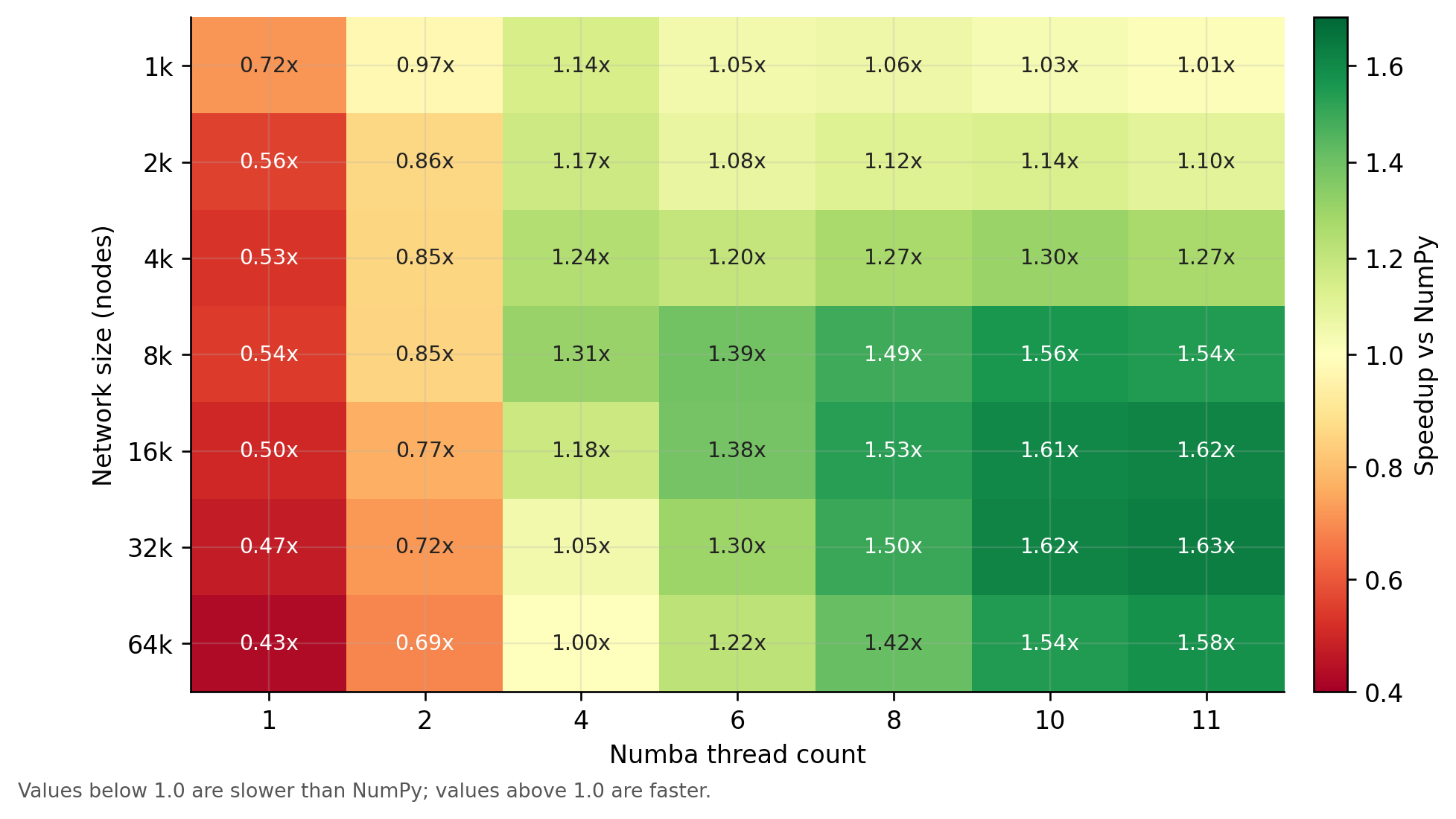
The benchmark below compares Numba thread counts against the optimized NumPy
backend for a simple linear network. Values larger than 1.0 mean that the Numba setting
was faster than NumPy; values below 1.0 mean that NumPy was faster.
For this benchmark:
- One or two Numba threads were slower than optimized NumPy.
- Four threads helped for small to medium networks, but only modestly.
- Eight or more threads became useful for larger networks.
- The best speedup was around
1.6x, not proportional to the number of threads.
A practical rule of thumb is:
| Network size | Suggested starting point |
|---|---|
| Small networks | Use NumPy first. Test Numba only if runtime matters. |
| Medium networks | Compare NumPy with num_threads=4 and num_threads=8. |
| Large networks | Try Numba with 8 threads up to the number of physical cores. |
| Batch runs | Avoid giving every simulation all cores if many simulations run at once. |
Why speedup is limited
Parallelization accelerates only parts of the solver. Other work, such as serial bookkeeping, conduit-to-node reductions, and memory movement, remains. As the parallel parts get faster, these other parts become a larger share of total runtime.
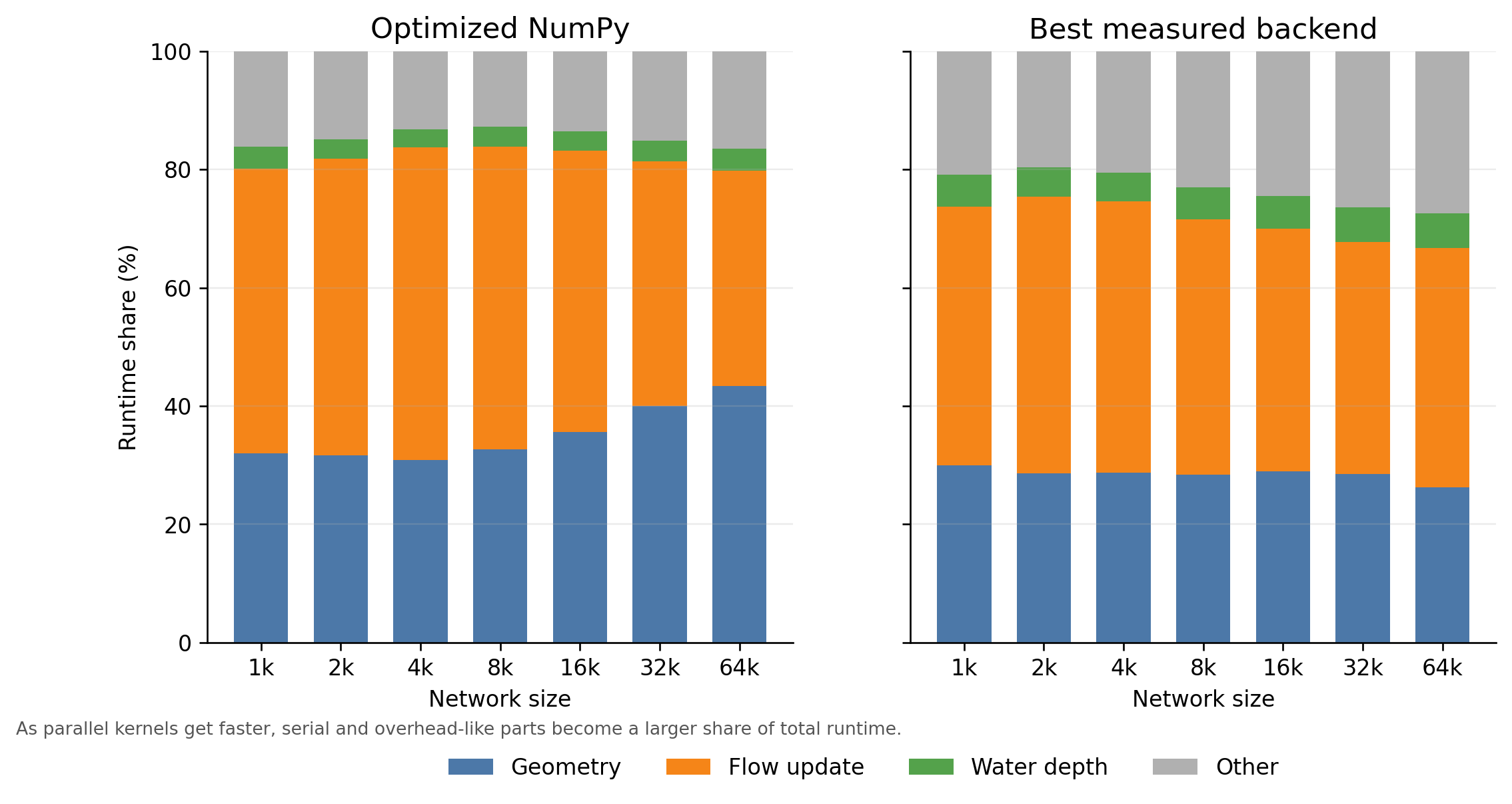
The exact crossover point depends on the model. Cave topology, boundary conditions, geometry backend, output settings, Picard iteration count, and the machine running the simulation can all change the result. When performance is important, benchmark a representative simulation with a few thread counts before choosing final settings.